

Most of what you want to change on a Left 4 Dead 2 server is on one page of the panel.
Open Game Settings
- Open your server in the panel and click the Settings tab.
- Click Game Settings.
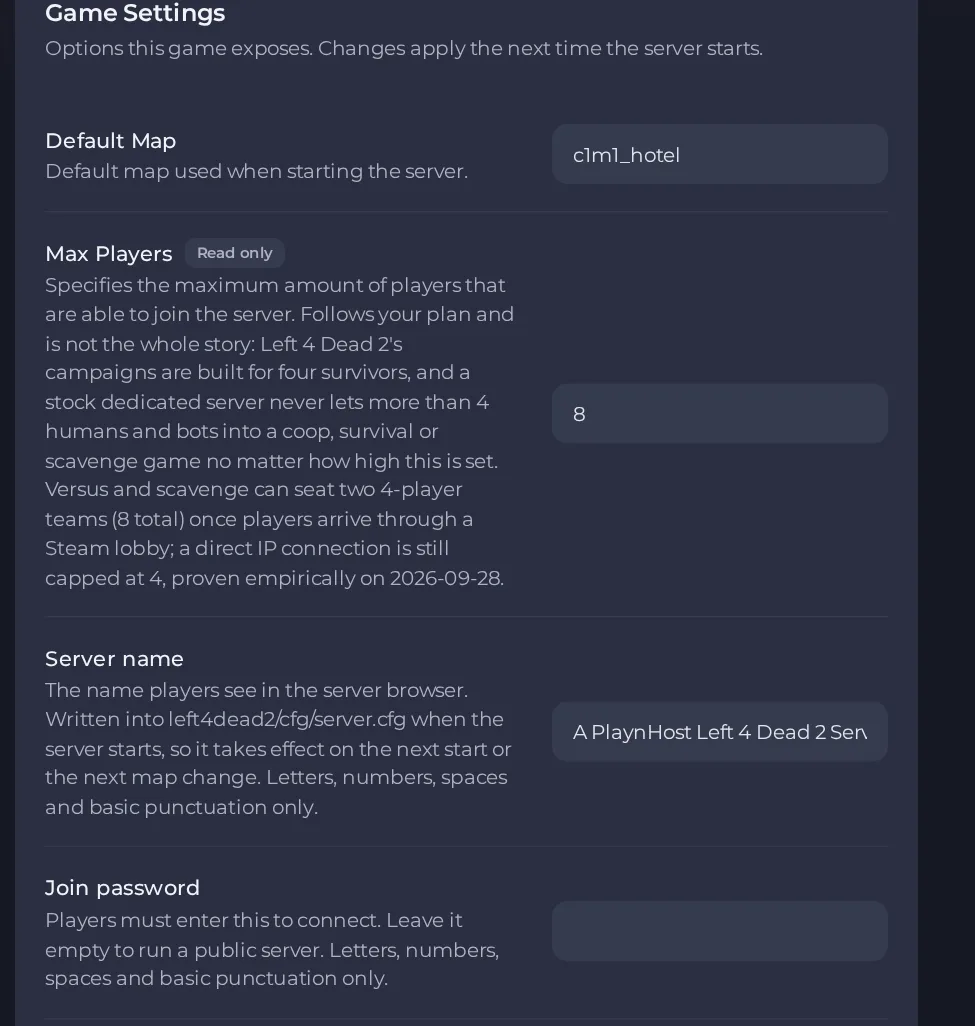
- Change a value and click outside the field, or press Enter. The panel saves it. Switches save as soon as you flip them.
- Restart the server so the change takes effect. See How to start, stop, restart and force-stop your server.
Options most owners change first
- Server name. The name shown in the server browser; use letters, numbers, spaces and basic punctuation only.
- Join password. Players must enter it to connect; leave it empty for a public server. Left 4 Dead 2 has a known game bug where the password is ignored or its prompt hangs, so do not rely on it alone.
- Game mode. Choose coop, versus, survival, scavenge, realism or realism_versus; this is also the mode shown to players browsing servers.
- Difficulty. Easy, Normal, Advanced or Expert; on Expert, friendly fire alone can end a campaign.
- Default Map. The map the server loads on start; the standard first campaign map is c1m1_hotel.
- Lobby connections only. When it is on, the game refuses anyone who did not arrive through a Steam lobby, including players typing your address. It is off on a new server. Keep it off unless you want a lobby-only server.
- RCON password. Lets an RCON client run admin commands; leave it empty to keep RCON disabled.
- Install SourceMod. Adds SourceMod and Metamod:Source for admin commands and plugins. Adding SourceMod needs the server to be reinstalled, which deletes the server's files by default, including your server.cfg, plugins and settings. Ask support to do it, and download a backup of the left4dead2 folder first so you can put your files back.
- Max Players. Follows your plan, but a stock server never seats more than 4 humans and bots in coop, survival or scavenge, and direct connections hold 4 players even in Versus.
Server name, Join password, Game mode, Difficulty, Lobby connections only and RCON password are written into the server's config file when the server starts, so restart the server after changing them. A new server name also shows on the next map change. Install SourceMod only takes effect after the server is reinstalled by support.
Every option is listed in Left 4 Dead 2 server settings: every option explained.





