

Most of what you want to change on a HumanitZ server is on one page of the panel.
Open Game Settings
- Open your server in the panel and click the Settings tab.
- Click Game Settings.
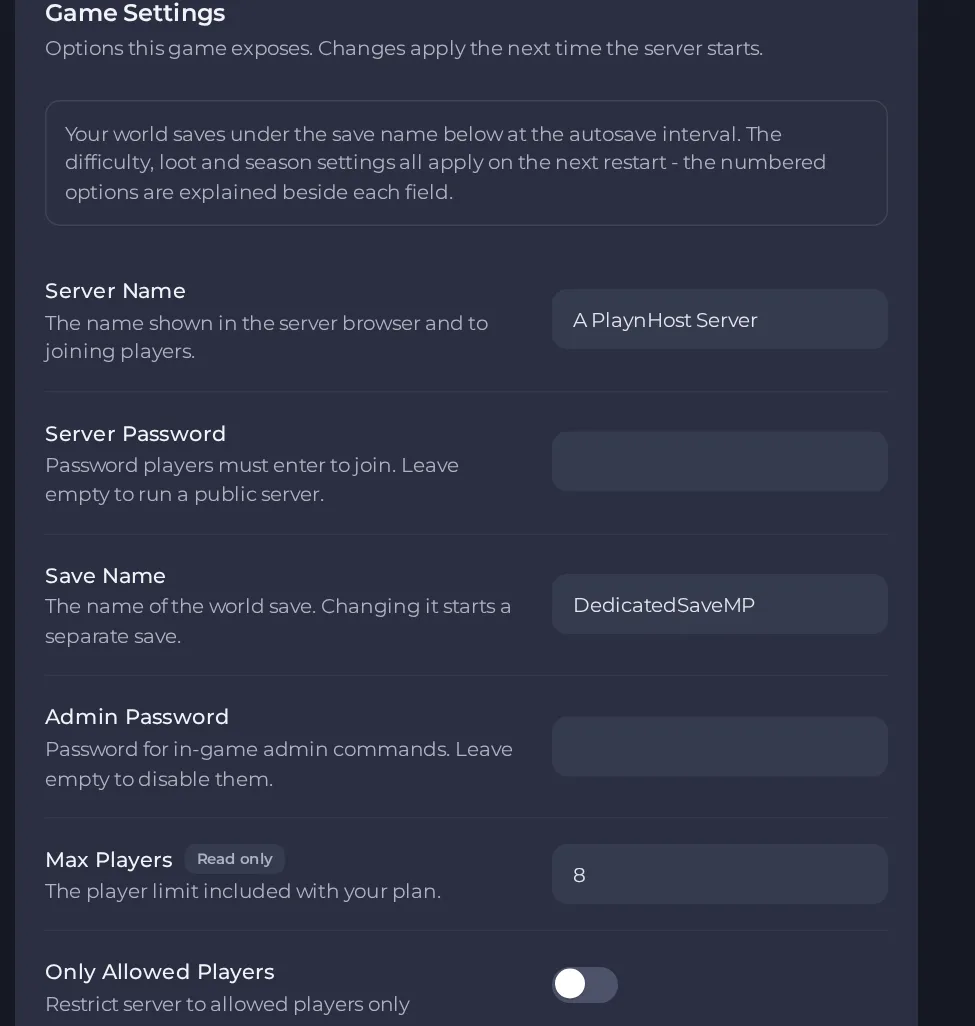
- Change a value and click outside the field, or press Enter. The panel saves it. Switches save as soon as you flip them.
- Restart the server so the change takes effect. See How to start, stop, restart and force-stop your server.
Options most owners change first
- Server Name. The name shown in the server browser. Avoid the word Official in it, the game may then fail to start or to show in the list. Double quotes and backslashes are not allowed.
- Server Password. Players must enter it to join. Leave it empty for a public server.
- Admin Password. Password you type in game to become an admin. Leave it empty to disable admin commands entirely.
- Max Players. Read-only and set by your plan.
- Only Allowed Players. Turning this on stops everyone joining unless they are already on the server's allowed list. Leave it off unless support has set up the list for you. It is off by default.
- Save Name. The name of the world save. Changing it starts a separate save, the old one stays on disk.
- Autosave Interval (seconds). How often the world saves automatically. Default is 300.
- PvP. Turns player versus player on or off.
- Permanent Death. 0 is off, 1 is individual permanent death, 2 means all players lose the character.
- On Death. 0 loses only the backpack and the weapon in hand, 1 adds pockets, 2 also loses equipment.
- Clear Infection. When on, infection is cleared on respawn. When off it carries through death.
- Weapon Durability. When on, any weapon except the crowbar breaks at zero durability. When off, only improvised weapons break.
- Multiplayer Sleep. When on, time skips to morning if everyone uses the sleep emote together.
- Zombie Difficulty (Health). 0 Very Easy to 5 Nightmare. The panel starts at 1 (Easy), and 2 is labelled Default in the game's own list. Speed and damage have their own matching settings.
- Human Difficulty. How dangerous the hostile human survivors are, 0 Very Easy to 5 Nightmare.
- Zombie Amount Multiplier. Multiplies how many zombies spawn. Human and zombie dog multipliers work the same way.
- Loot Rarity. 0 Scarce, 1 Low, 2 Default, 3 Plentiful, 4 Abundant.
- Loot Respawn. Turn off for a scarcer world where an area stays picked clean. Loot Respawn Timer sets the minutes between respawns.
- Air Drop. Supply drops land at intervals. Air Drop Interval sets how many days apart.
- Starting Season. 0 Summer, 1 Autumn, 2 Winter, 3 Spring. Only affects a fresh world.
- Day Duration. Length of the day in minutes. Night Duration and Days Per Season work alongside it.
- Vital Drain. How fast hunger, thirst and other vitals drain: 0 Slow, 1 Normal, 2 Fast.
- Building Health. Health multiplier for player-built structures.
- Territory. Protects the area around each spawn point from other players building there. Decay sets how fast a crafted spawn point loses durability.
- Allow Dismantle. Lets players take apart their own buildings. Allow House Dismantle does the same for furniture and props in map houses.
- Dog Companions Enabled. Enables finding dog companions. Related settings: Dog Companion Amount, Recruit Companion Dogs, Companion Health, Companion Damage.
- Pickup Cleanup. Minutes before dropped pickups are destroyed, 0 means no cleanup. Fake Building Cleanup does the same for unbuilt blueprints.
- Auto Update. Checks for a game update at every start.
Open Settings, then Game Settings, change the value and restart the server. These values are written into the game's settings file each time the server starts, so a change made by editing that file by hand for one of these options is overwritten on the next start. Respawn timers, difficulty and loot values affect a running world once restarted, while Starting Season only matters for a new world.
Every option is listed in HumanitZ server settings: every option explained.





