

Most of what you want to change on a Factorio server is on one page of the panel.
Open Game Settings
- Open your server in the panel and click the Settings tab.
- Click Game Settings.
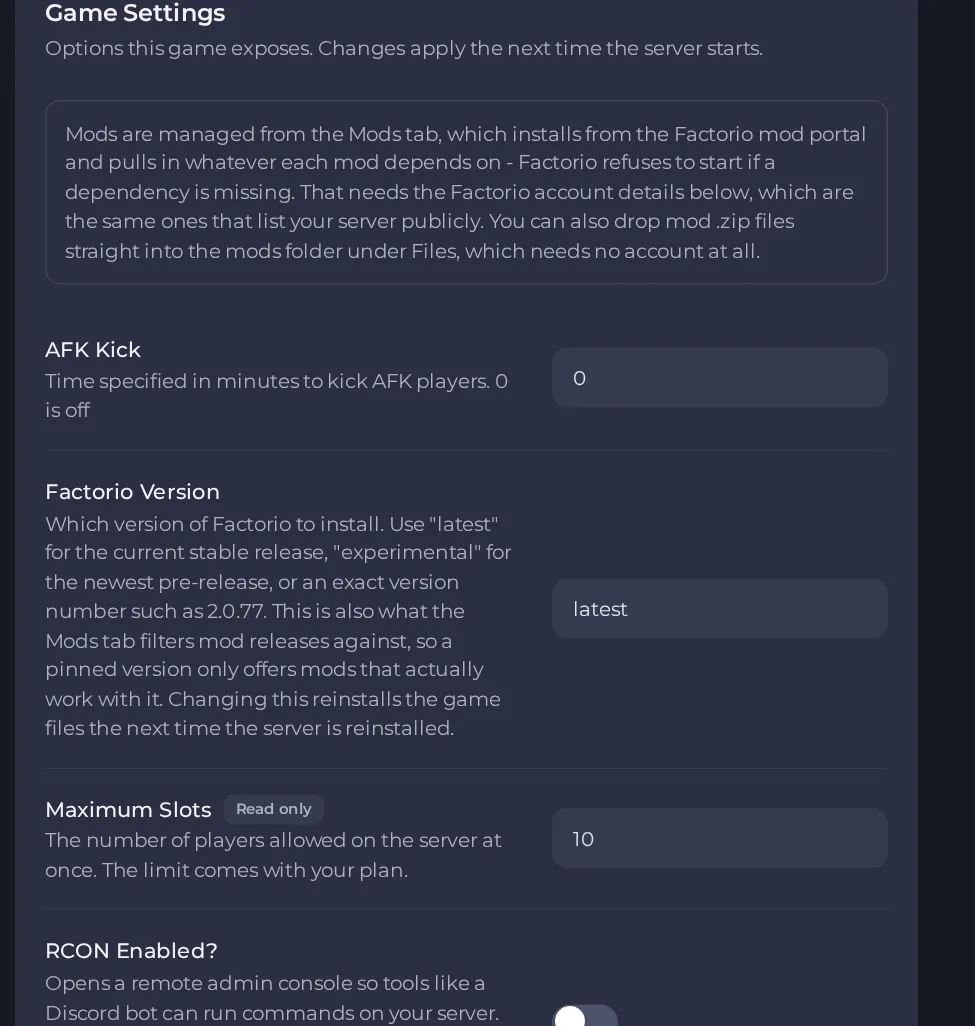
- Change a value and click outside the field, or press Enter. The panel saves it. Switches save as soon as you flip them.
- Restart the server so the change takes effect. See How to start, stop, restart and force-stop your server.
Options most owners change first
- Server Name. The name shown in the public server list, up to 100 characters.
- Server Description. The description shown in the server listing, up to 200 characters.
- Server password. Players must enter this to join. Leave it empty for an open server.
- Save Name. The name of the save file the server loads, without .zip. If no save with that name exists yet, a new map is created with that name, and if one exists it is loaded.
- Auto Save Interval. Minutes between automatic saves. The default is 10.
- AFK Kick. Minutes of inactivity before a player is kicked. 0 turns it off.
- Factorio Version. Use latest for stable, experimental for the newest pre-release, or an exact number such as 2.0.77 to stay on one version.
- Auto-update server. Checks for a new build on every start when the version is latest. A pinned version is never updated.
- Server Username. Your factorio.com account name. With the token it lists your server in the public browser and lets the Mods tab download from the Mod Portal.
- Server Token. The token from your factorio.com profile page, not your account password. Keep it secret.
- Scenario. Runs a scenario instead of a normal save. While it is filled in, Save Name is ignored and your save is not loaded, so keep it empty to play a normal save.
- RCON Enabled?. Opens a remote admin console for tools such as a Discord bot. It only works when you have also added a port under Ports & Network, entered it in RCON Port, and set an RCON Password.
- RCON Port. The extra port you added under Ports & Network for the remote console. Leave it empty and the console stays off.
- RCON Password. The password for the remote console, up to 64 characters; spaces and quotes are not accepted.
Settings are written into the server's configuration when the server starts, so restart the server after changing them. Changing Factorio Version does not change the installed game by itself. To switch version, ask support, or change the server type with a backup first, because changing it deletes the server's files by default. The Maximum Slots value comes with your plan and cannot be edited.
Every option is listed in Factorio server settings: every option explained.





