

Most of what you want to change on a Core Keeper server is on one page of the panel.
Open Game Settings
- Open your server in the panel and click the Settings tab.
- Click Game Settings.
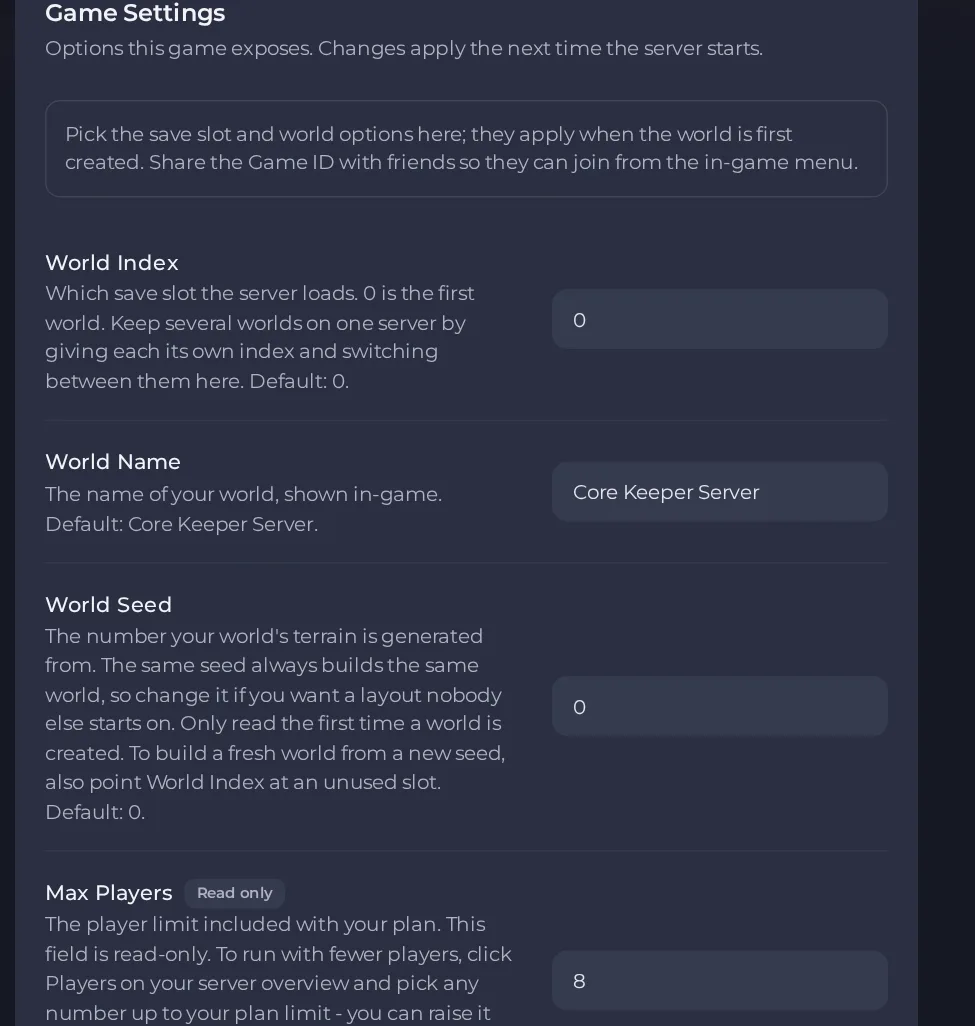
- Change a value and click outside the field, or press Enter. The panel saves it. Switches save as soon as you flip them.
- Restart the server so the change takes effect. See How to start, stop, restart and force-stop your server.
Options most owners change first
- Game ID. The code friends use to join. It must be 15 to 28 characters, letters and numbers only, and cannot contain Y, y, x, 0 or O. Leave it empty and the server picks a new one on every start, so set your own if you want the code to stay the same.
- World Index. Which save slot the server loads, with 0 being the first world. Give each world its own number and switch between them here.
- World Name. The name shown in-game, 3 to 100 characters, with no double quote or backslash. It is only used when the world is first created, so set it before the first start.
- World Seed. The number the terrain is generated from. It is only used when a world is created, so changing it on an existing world does nothing. Use an unused World Index to build a fresh world from a new seed.
- Hard mode. Off is a normal world and On is hard mode. It is only used when the world is first created, so changing it later does nothing.
- Max Players. Read-only in the settings and set by your plan (the limit included with your plan). To run with fewer players, use Players on the server overview and pick any number up to the plan limit. This restarts your server.
- Auto Update. Checks for a game update each time the server starts. Leave it on so the server stays on the same version as your players.
Settings are read when the server starts, so restart after changing one. World Name, World Seed and Hard mode only matter the first time a world is created. After that they have no effect on that world.
Every option is listed in Core Keeper server settings: every option explained.





