

Most of what you want to change on an Astroneer server is on one page of the panel.
Open Game Settings
- Open your server in the panel and click the Settings tab.
- Click Game Settings.
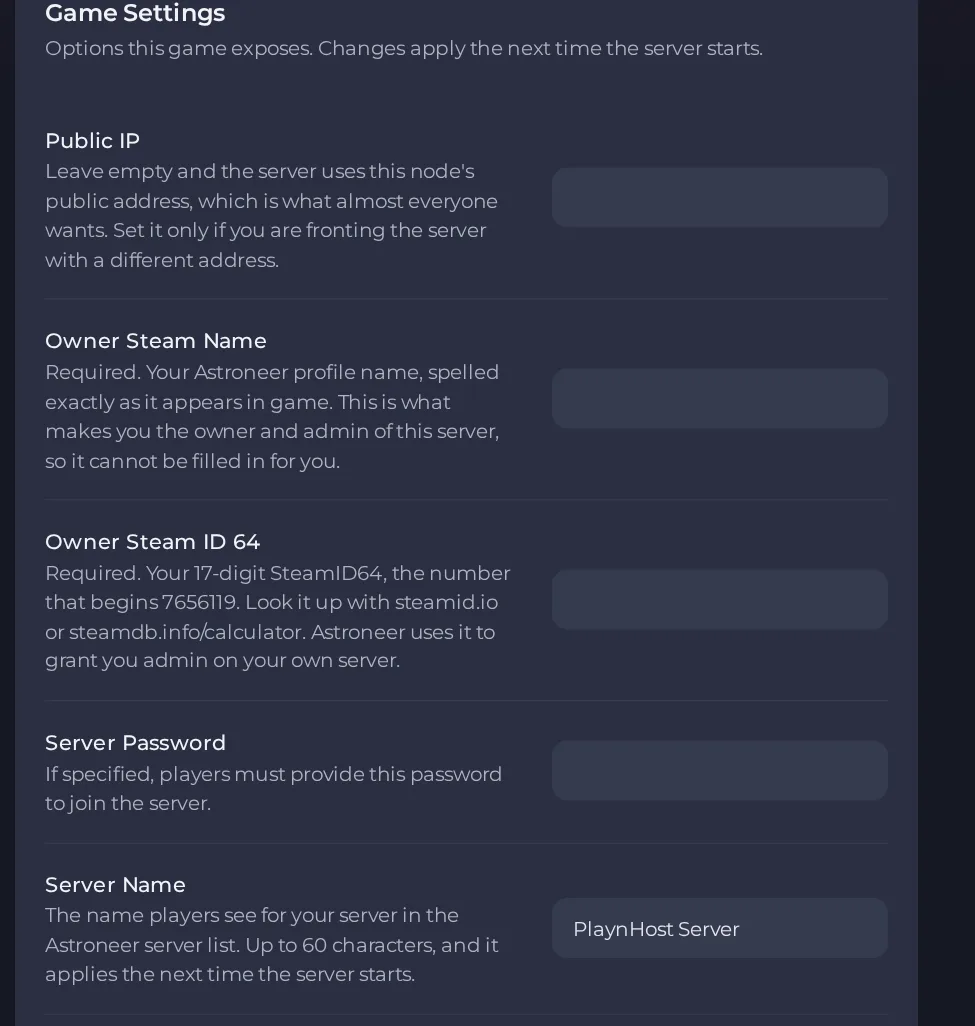
- Change a value and click outside the field, or press Enter. The panel saves it. Switches save as soon as you flip them.
- Restart the server so the change takes effect. See How to start, stop, restart and force-stop your server.
Options most owners change first
- Server Name. The name players see in the Astroneer server list, up to 60 characters, no double quotes.
- Server Password. If you fill it in, players must enter it to join; leave it empty for an open server. Letters, numbers, dashes and underscores only.
- Owner Steam Name. Required. Your Astroneer profile name spelled exactly as it appears in game; this is what makes you the owner and admin.
- Owner Steam ID 64. Required. Your 17-digit SteamID64, starting with 7656119, which you can look up on steamid.io or steamdb.info/calculator.
- Max Players. Read-only and set by your plan. Astroneer dedicated servers allow at most 8 players.
- Public IP. Leave it empty so the server uses its node's public address. Only fill it in if you front the server with a different address.
- Automatic Updates. Checks for a server update at every start and installs it if needed. It is a switch, on by default.
Server Name, Server Password, Owner Steam Name, Owner Steam ID 64, Public IP and Max Players are written into the server's config file every time the server starts, so change them under Settings, then Game Settings, and restart the server. Anything you type over those values directly in the file is overwritten at the next start. Other settings in the config file should be edited only while the server is stopped, because edits made while it runs are lost.
Every option is listed in Astroneer server settings: every option explained.





