

Most of what you want to change on a 7 Days to Die server is on one page of the panel.
Open Game Settings
- Open your server in the panel and click the Settings tab.
- Click Game Settings.
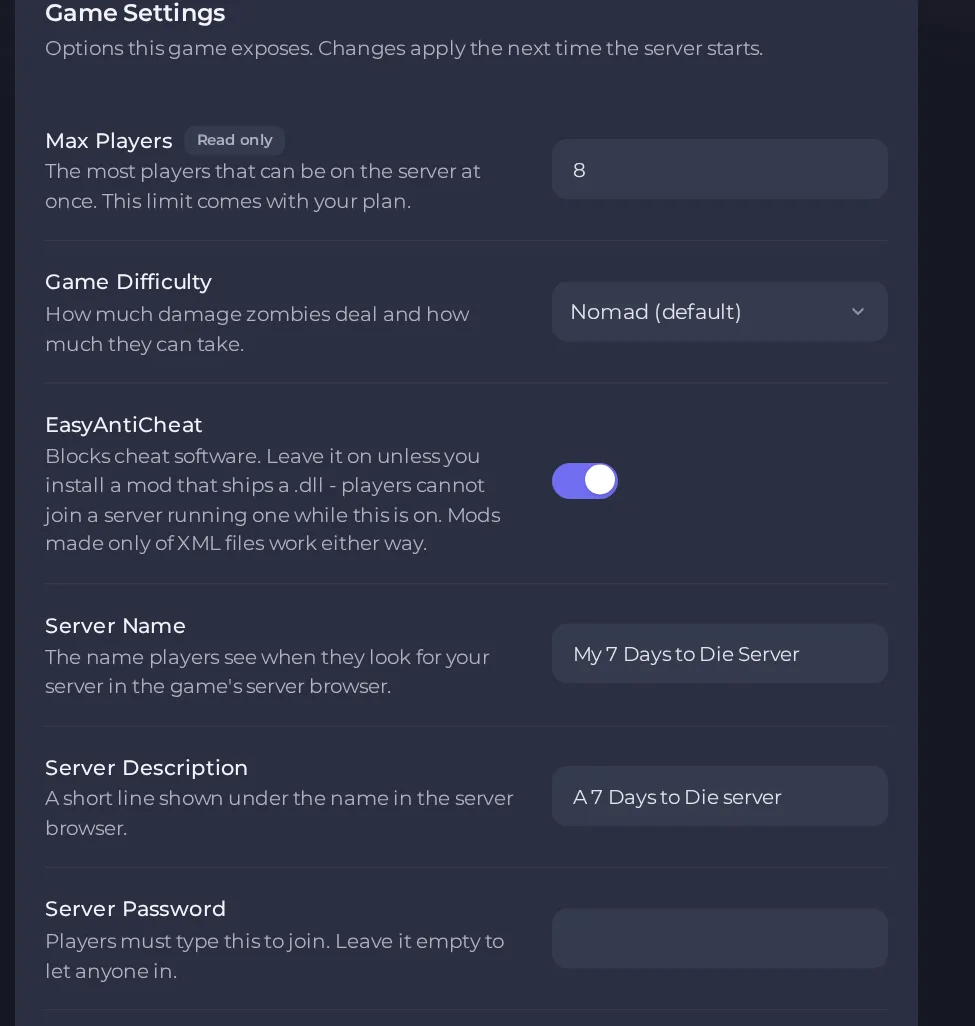
- Change a value and click outside the field, or press Enter. The panel saves it. Switches save as soon as you flip them.
- Restart the server so the change takes effect. See How to start, stop, restart and force-stop your server.
Options most owners change first
- Server Name. The name players see in the in-game server browser. Letters, numbers, spaces and these symbols: _ . - [ ] ( ) ! only (no quotes or accented letters), up to 64 characters.
- Server Description. A short line shown under the name in the server browser, up to 128 characters. Letters, numbers, spaces and these symbols: _ . , ! ? ' - [ ] ( ) only.
- Server Password. Players must type it to join. Leave it empty to let anyone in. Up to 32 characters: letters, numbers, dots, hyphens and underscores only.
- Server Listing. 0 = Hidden, 1 = Friends only, 2 = Public. A hidden server can still be joined directly by address.
- Game Difficulty. How hard zombies hit and how much they can take: 0 Scavenger, 1 Adventurer, 2 Nomad (the default), 3 Warrior, 4 Survivalist, 5 Insane.
- World. Which map runs: Navezgane (hand-built), the random map built from your seed, or one of four pre-built maps (two 6 km, two 8 km). Switching maps starts a separate save and leaves the old one untouched.
- Random World Seed. Only used with the random map. The same seed always builds the same map. Letters, numbers, spaces and _ . - only, up to 32 characters.
- Random World Size. Only used with the random map: 6144 = Small, 8192 = Medium, 10240 = Large (metres wide).
- Save Name. Names the folder your world is saved in. Changing it starts a brand new world and leaves the old one on disk. Letters, numbers, spaces and _ . - only, up to 32 characters.
- EasyAntiCheat. Blocks cheat software. Leave it on unless you install a mod that ships a .dll, which players cannot join while it is on. Turning it off removes cheat protection from your server.
- Auto Update. Checks for a game update at every server start. Turn it off only to stay on a specific build for mod compatibility.
- Oxide (uMod). Optional plugin framework, off by default. See the mods section before turning it on.
- Beta Branch. Leave empty unless you have been told to use a test build, for example latest_experimental. A change only takes effect on a reinstall, so ask support to do it, after a backup.
Restart the server after changing a setting so it takes effect. Max Players comes with your plan and cannot be edited. A change to Beta Branch only takes effect on a reinstall, so ask support to do it for you, after a backup. Mods are read once at boot, so restart after adding or removing one.
Every option is listed in 7 Days to Die server settings: every option explained.





