

Most of what you want to change on an Icarus server is on one page of the panel.
Open Game Settings
- Open your server in the panel and click the Settings tab.
- Click Game Settings.
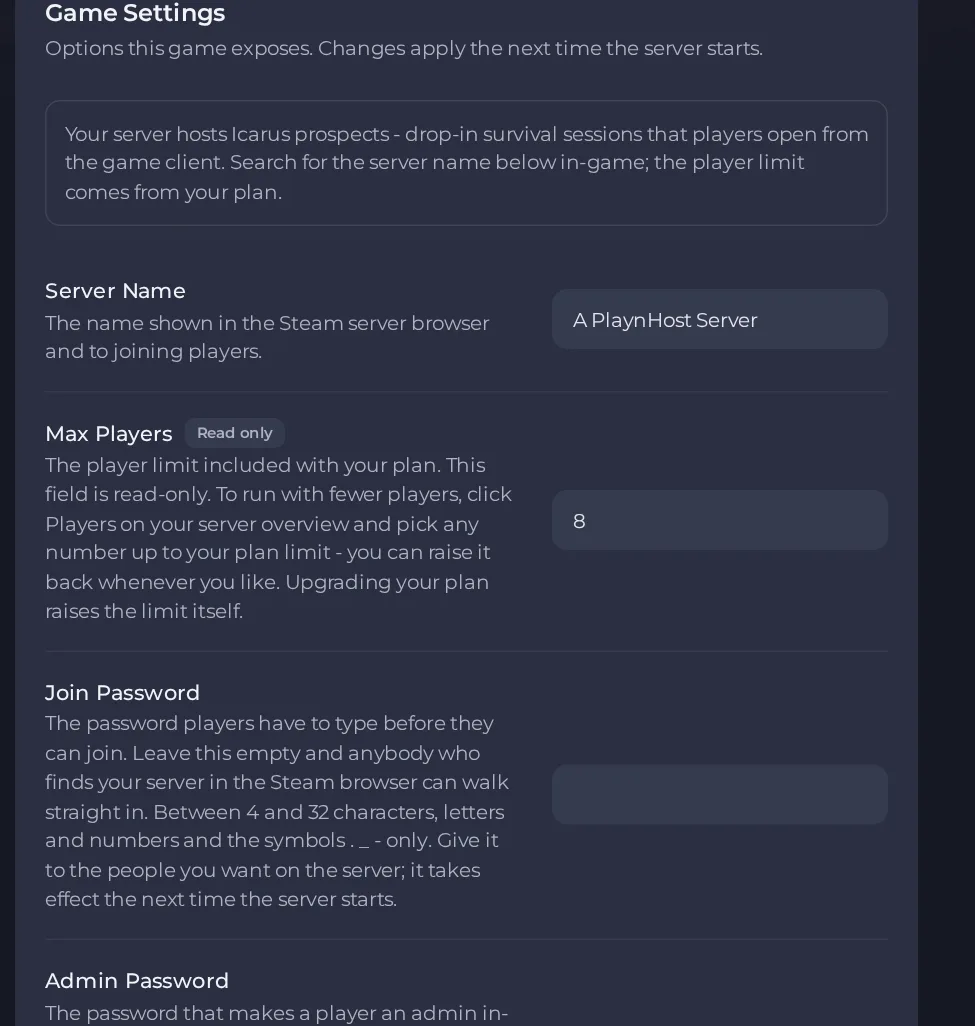
- Change a value and click outside the field, or press Enter. The panel saves it. Switches save as soon as you flip them.
- Restart the server so the change takes effect. See How to start, stop, restart and force-stop your server.
Options most owners change first
- Server Name. The name shown in the dedicated server browser and to joining players, up to 32 characters. This is the name to look for when joining.
- Join Password. Players must type this before they can join. Leave it empty and anybody who finds the server in the browser can walk straight in. Use 4 to 32 letters, numbers or the symbols . _ - only.
- Admin Password. The password players type in game to become an admin. Always set one and do not leave it empty. Make it different from the Join Password and share it only with people you trust. Use 4 to 32 letters, numbers or the symbols . _ - only.
- Max Players. Read-only and set to your plan's limit. To run with fewer players, use the Players option on the server overview (this restarts your server); upgrading the plan raises the limit itself. Icarus itself is designed for up to eight co-op players.
- Auto Update. Checks for a game update every time the server starts. Turn it off only if you need to stay on a specific build, and turn it back on if players cannot join after a patch.
Change these under Settings, then Game Settings, and restart the server. The player limit, join password and admin password are written into the server's settings file at every start, so anything you type over them in the file is overwritten. Prospects are resumed automatically after a restart and the lobby rules (anyone can start a prospect, only admins can delete one) are fixed by the server.
Every option is listed in Icarus server settings: every option explained.





