

Most of what you want to change on a Garry's Mod server is on one page of the panel.
Open Game Settings
- Open your server in the panel and click the Settings tab.
- Click Game Settings.
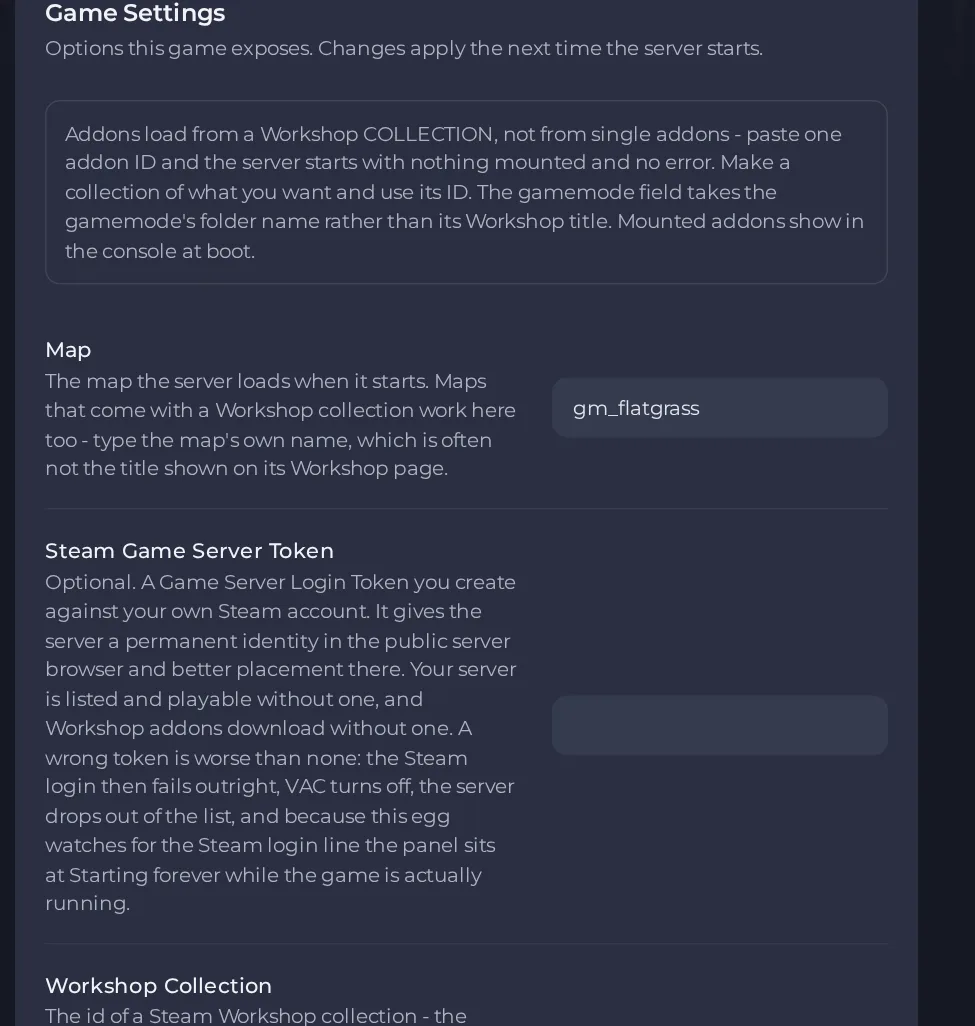
- Change a value and click outside the field, or press Enter. The panel saves it. Switches save as soon as you flip them.
- Restart the server so the change takes effect. See How to start, stop, restart and force-stop your server.
Options most owners change first
- Map. The map loaded at start. Use the map's own file name, which is often different from the title on its Workshop page. The default is gm_flatgrass.
- Gamemode. The gamemode's short lowercase folder name, such as sandbox, terrortown or darkrp. A Workshop gamemode also needs its addon in your Workshop collection.
- Workshop Collection. The number at the end of your Steam Workshop collection page address. It must be a collection, not a single addon. Leave empty for no addons.
- Server name. The name in the in-game server browser. Use no spaces, asterisks or question marks, and join words with - or _, otherwise the name is cut off or mangled.
- Steam Game Server Token. Optional. Create a Game Server Login Token at steamcommunity.com/dev/managegameservers with App ID 4000, using your own Steam account. It gives your server a permanent identity and better placement in the server list. Use a different token for every server. Leave it empty if unsure, because a wrong token stops the server from finishing its start and the panel then sits at Starting.
- Tickrate. How often the server updates the world each second. 22 suits most servers, and raising it on a busy server tends to cause lag instead of curing it.
- Lua Refresh. Reloads Lua files while the server runs so addon changes apply without a restart. Handy while developing, best left off on a busy server.
- Auto Update. Updates the game at each start so players on the current build can join. Turn it off only if an update breaks an addon, and know that updated players cannot join an old build.
- RCON password. Lets you run admin commands from a remote console tool. Empty means remote administration stays off. Use letters, numbers, dashes and underscores only, and do not reuse any other password.
- Max Players. Read-only here. It comes from your plan, so move to a bigger plan to raise it.
These settings are read when the server starts, so restart the server after changing any of them. These guides describe the standard Garry's Mod server type. The Garry's Mod - Reworked type has different settings, and changing server type deletes the server's files by default, so back up first.
Every option is listed in Garry's Mod server settings: every option explained.





