

Most of what you want to change on a DayZ server is on one page of the panel.
Open Game Settings
- Open your server in the panel and click the Settings tab.
- Click Game Settings.
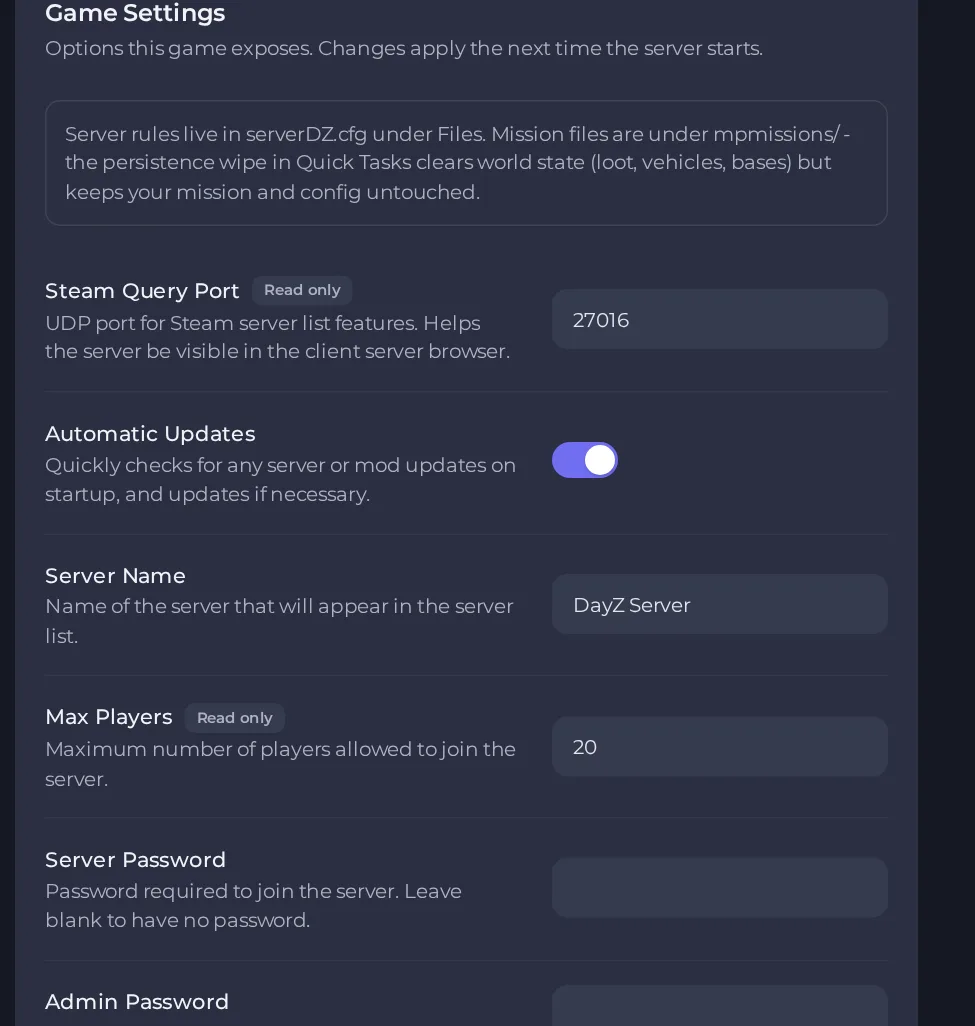
- Change a value and click outside the field, or press Enter. The panel saves it. Switches save as soon as you flip them.
- Restart the server so the change takes effect. See How to start, stop, restart and force-stop your server.
Options most owners change first
- Server Name. The name shown in the server list, up to 64 characters on one line.
- Server Password. Players need it to join. Leave blank for a public server; letters, numbers, dash and underscore only, up to 20 characters.
- Admin Password. The password you type in game to log in as an admin. Same character rules as the Server Password.
- RCON Password. Set this to let remote admin tools such as BattleMetrics connect through BattlEye RCON. Same character rules as the Server Password.
- Enforce Game Version. When ON, only players on the same game version as the server can connect.
- Verify Signatures. 2 checks mod signatures and is the recommended setting. 0 turns checking off and is only for finding out why a mod will not load, so set it back to 2 afterwards.
- Disable VoN. Turns off in-game voice chat when ON.
- VoN Quality. Voice codec quality from 0 to 30, higher is better.
- Disable Third Person. Forces first-person view for everyone when ON.
- Disable Crosshair. Hides the crosshair when ON.
- Disable Personal Light. Removes the faint light around each player at night. It is ON by default.
- Darker Nights. Makes nights more realistic and much harder to see in without a light.
- Time Multiplier. Speeds up in-game time from 0 to 24. With 12, a full in-game day lasts about 2 real hours.
- Night Multiplier. Extra speed factor for night time, from 0.1 to 64, multiplied with the Time Multiplier.
- Persistent Time. When ON, the server saves the in-game time and continues from it at the next start.
- Extra Startup Parameters. Launch flags for the server. The defaults turn on the general, admin and network logs and the freeze check.
Settings are written into the server's configuration when the server starts, so restart the server after changing them, and change them in Settings, then Game Settings rather than by editing the configuration file, which is rewritten at every start. Max Players is set by your plan and cannot be edited.
Every option is listed in DayZ server settings: every option explained.





