

Your players join your ARK: Survival Evolved server with its Server Address, shown on the server's Overview page in the panel. ARK: Survival Evolved is a survival game where you tame and ride dinosaurs, harvest, craft and build on a hostile island; a hosted dedicated server keeps your own world, rules and player list running around the clock for you and your tribe.
Join in a few steps
- Open your server in the panel. If the status badge says Offline, click Start and wait until it says Online. See How to start, stop, restart and force-stop your server.
- On the Overview page, click the copy icon next to Server Address. It looks like
address:port.
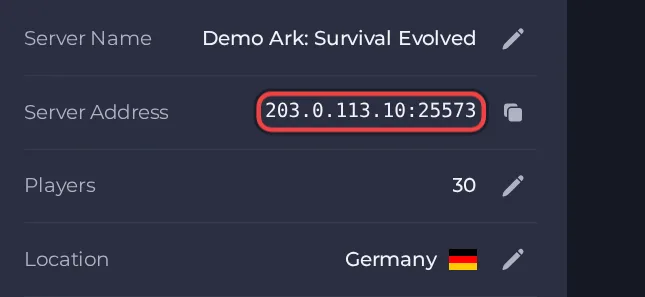
- Launch ARK: Survival Evolved from Steam and open the multiplayer server list from the main menu.
- Make sure the list is set to show unofficial (player-run) servers, then search for your Server Name (the name you set in your server's settings).
- If it does not appear, wait until the server shows Online in the panel, then refresh the list and search again. ARK's list is slow to show new servers.
- Select the server and click Join.
- If you set a Server Password, type it when asked. If you left it empty, you go straight in.
- Epic Games players can only join if Extra Launch Options contains both -crossplay and -PublicIPForEpic=
<your server IP>. The exact steps are in the problems and fixes guide.
Ports
Players only use the port in the Server Address on the Overview page. The server uses other ports internally; you never type them.
Game version
Players need the same game version as the server, and ARK ships patches regularly. Auto-update server is off by default. Turn it on to check for a game update each time the server starts, then restart the server after a patch so that up-to-date players can still join. Leave it off only to stay on one build, which only makes sense when a mod needs an older version. Mods are downloaded and updated by the server itself at start.
If you cannot join
- The server must be Online. Check the badge at the top of the page.
- Copy the address again from the panel. A missing or mistyped port is the most common cause.
- Make sure every player runs a compatible game version and the same mods.
- Check the password, if you set one. See How to set up your ARK: Survival Evolved server.
- More checks: How to join your server and ARK: Survival Evolved server problems and fixes.





