

Most of what you want to change on an Abiotic Factor server is on one page of the panel.
Open Game Settings
- Open your server in the panel and click the Settings tab.
- Click Game Settings.
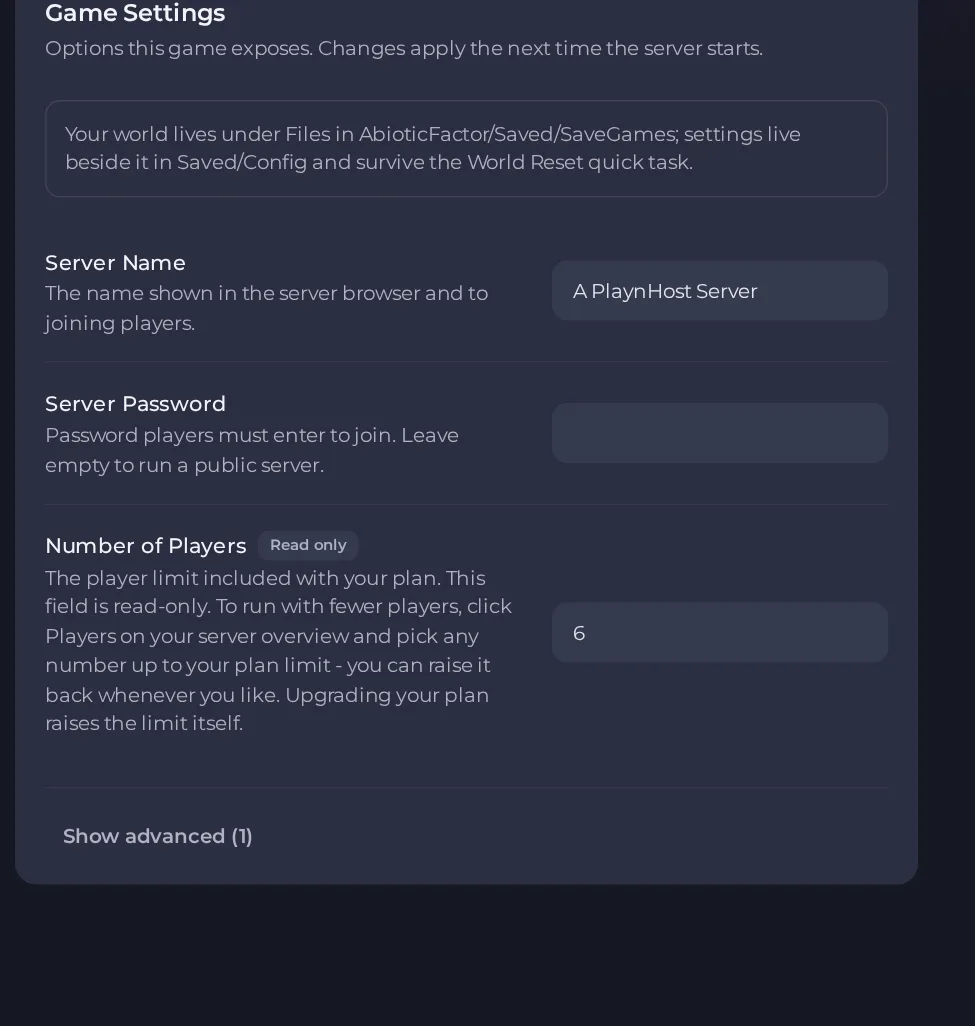
- Change a value and click outside the field, or press Enter. The panel saves it. Switches save as soon as you flip them.
- Restart the server so the change takes effect. See How to start, stop, restart and force-stop your server.
Options most owners change first
- Server Name. The name shown in the server browser and to joining players. Up to 64 characters, and it cannot contain double quotes or backslashes.
- Server Password. The password players must enter to join. Leave it empty for a public server. Up to 30 characters, no double quotes or backslashes.
- Number of Players. Read-only and set to your plan's player limit. To run with fewer players, use Players on the server Overview page (this restarts your server); upgrading the plan raises the limit itself.
- Auto Update. Checks for a game update each time the server starts. Leave it on: if it is off, players on a newer game version will not see or join the server.
- Difficulty (file only, not in Game Settings). Set
GameDifficulty=2under[SandboxSettings]in SandboxSettings.ini. 1 is Normal, 2 is Hard and 3 is Apocalyptic. A harder difficulty than Normal also overrides the automatic difficulty scaling for more players. - Player versus player damage (file only, not in Game Settings). Set
DamageToAlliesMultiplier=1.0under[SandboxSettings]in SandboxSettings.ini. The default is 0.5, meaning players deal half damage to each other. At 1.0 players deal full damage to each other. - Death penalty (file only, not in Game Settings). Set
DeathPenalties=1under[SandboxSettings]in SandboxSettings.ini. 0 keeps all items, 1 keeps equipped items and hotbar (the default), 2 keeps the hotbar only, 3 keeps equipped items only, 4 loses everything including the hotbar, 5 destroys all items. - Day and night speed (file only, not in Game Settings). Set
DayNightCycleSpeedMultiplier=1.0under[SandboxSettings]in SandboxSettings.ini. The default is 1.0 and the allowed range is 0.1 to 3. Some items can only be obtained at the right time of day, so avoid freezing the cycle. - Hardcore mode (file only, not in Game Settings). Set
HardcoreMode=trueunder[SandboxSettings]in SandboxSettings.ini. It is off by default. When on, characters have one life and the difficulty is forced to Apocalyptic.
Server Name, Server Password and Auto Update are in Settings, then Game Settings and are applied when the server starts, so restart after changing them. The gameplay rules marked file only are not in Game Settings: they live in the file SandboxSettings.ini inside Files, at AbioticFactor, then Saved, then Config, then WindowsServer. Its first line must be [SandboxSettings], and each rule goes on its own line below it, for example GameDifficulty=2. If the file is not there, create it with that name in that folder. Edit it while the server is stopped, then start the server again.
Every option is listed in Abiotic Factor server settings: every option explained.





