

Most of what you want to change on The Forest server is on one page of the panel.
Open Game Settings
- Open your server in the panel and click the Settings tab.
- Click Game Settings.
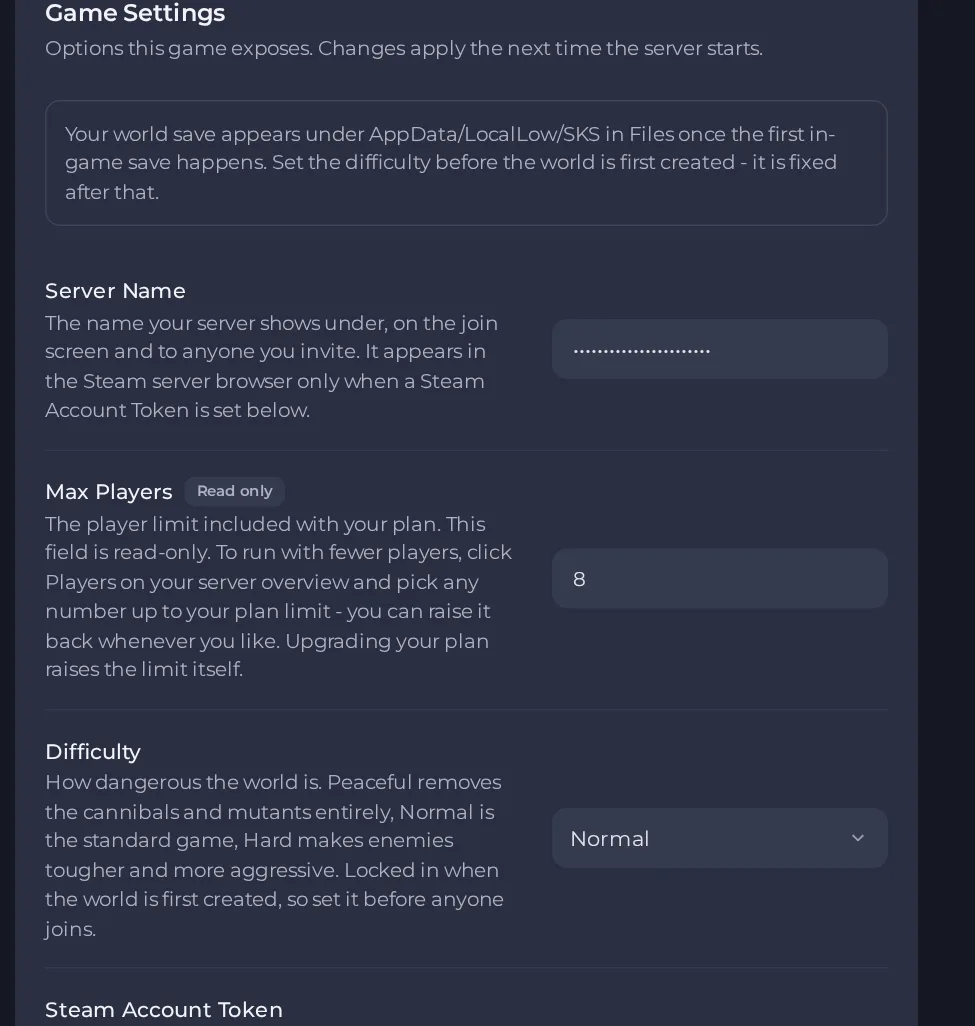
- Change a value and click outside the field, or press Enter. The panel saves it. Switches save as soon as you flip them.
- Restart the server so the change takes effect. See How to start, stop, restart and force-stop your server.
Options most owners change first
- Server Name. The name shown to players; it only appears in the Steam server list when a Steam Account Token is set.
- Server Password. Players are asked for it before joining; leave it blank and anyone with the address can join. Up to 20 characters: letters, numbers, dashes and underscores.
- Admin Password. Gives you admin control in game. Change it before anyone joins. It needs 6 to 20 characters (letters, numbers, dashes, underscores) and cannot be empty.
- Difficulty. Peaceful removes the cannibals and mutants, Normal is the standard game, Hard makes enemies tougher. It is locked in when the world is first created, so set it before anyone joins.
- Starting World. Continue reloads your last save on every start. New generates a fresh world and the next autosave replaces the old one.
- Max Players. Read-only and set by your plan. To run with fewer players, click Players on the server Overview page and pick a number up to your plan limit. This restarts your server.
- Steam Account Token. Optional and empty by default. Set a Steam game-server login token to appear in the Steam server list; without it the server still runs and accepts players who join by address.
- Enable VAC. When on, players with a VAC ban cannot join. It is off by default.
- Auto-Update. Checks Steam for a game update at every server start.
Server Name, passwords, difficulty, Starting World, Max Players and the Steam token are applied each time the server starts, so restart the server after changing them. Edits made by hand to those same settings in the server's settings file are overwritten at the next start, so change them in Settings, then Game Settings, instead.
Every option is listed in The Forest server settings: every option explained.





