

Most of what you want to change on a Counter Strike 2 server is on one page of the panel.
Open Game Settings
- Open your server in the panel and click the Settings tab.
- Click Game Settings.
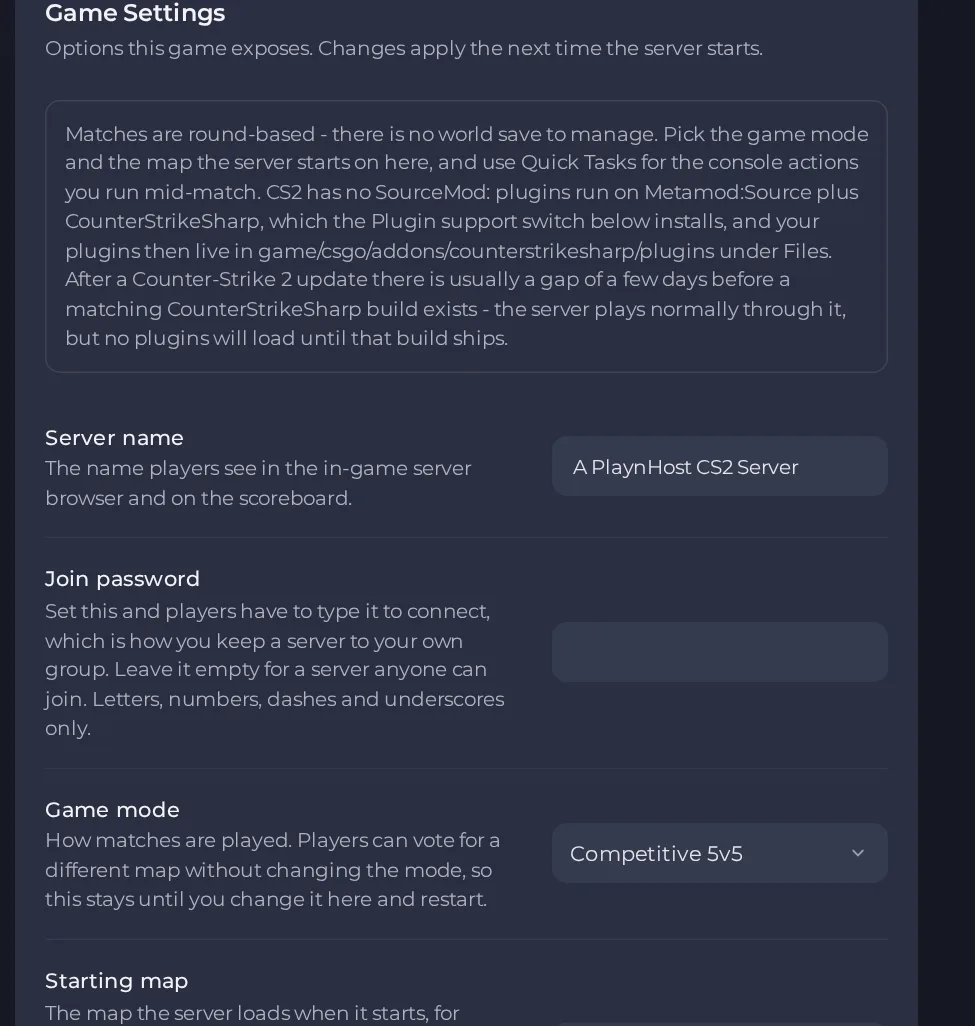
- Change a value and click outside the field, or press Enter. The panel saves it. Switches save as soon as you flip them.
- Restart the server so the change takes effect. See How to start, stop, restart and force-stop your server.
Options most owners change first
- Steam Game Server Login Token. Required for anyone outside your own network to join. Create one free at steamcommunity.com/dev/managegameservers for App ID 730 using your own Steam account, paste it in, then restart the server.
- Server name. The name shown in the in-game server browser and on the scoreboard, up to 64 characters, with no double quotes or backslashes.
- Join password. Set it to keep the server private to your group, or leave it empty for a public server; letters, numbers, dashes and underscores only.
- Game mode. Choose competitive, casual, wingman, deathmatch, armsrace or custom (plugin-driven); players voting for another map does not change the mode.
- Starting map. The map the server loads on start, for example de_dust2, de_mirage or cs_office; players can vote to change map later.
- Max Players. Read-only here and set by your plan; to run with fewer players use Players on the server overview, up to your plan limit.
- VAC anti-cheat. On by default and right for almost every server; turning it off marks the server insecure and players are told when they connect.
- RCON password. Set it to run admin commands remotely; leaving it empty keeps remote administration off, and it should differ from the join password.
- Plugin support (Metamod + CounterStrikeSharp). Turn on to install the plugin loader; see the add-ons section.
- Auto-update server. Checks for a game update at every start; keep on unless holding a build on purpose.
Settings are read when the server starts, so restart the server after changing any of them. Game mode only decides how a match begins, so a change takes effect on the next restart, not on a map vote.
Every option is listed in Counter Strike 2 server settings: every option explained.





