

Most of what you want to change on a Barotrauma server is on one page of the panel.
Open Game Settings
- Open your server in the panel and click the Settings tab.
- Click Game Settings.
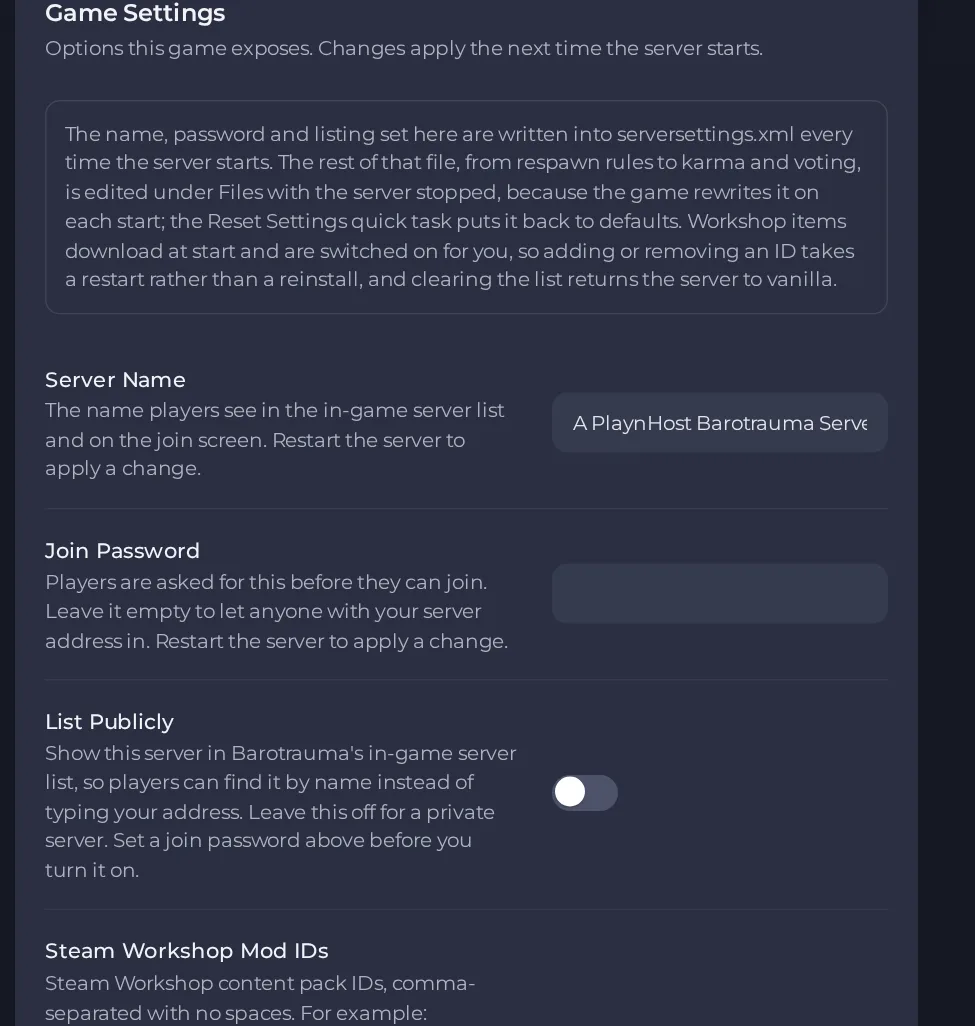
- Change a value and click outside the field, or press Enter. The panel saves it. Switches save as soon as you flip them.
- Restart the server so the change takes effect. See How to start, stop, restart and force-stop your server.
Options most owners change first
- Server Name. The name players see in the in-game server list and on the join screen, up to 64 characters, and it cannot contain a double quote or backslash.
- Join Password. Players are asked for it before joining. Leave it empty to let anyone with your address in.
- List Publicly. Shows the server in the in-game server list so players can find it by name. It is off by default, and you should set a join password before turning it on.
- Auto Update. Checks for a game update each time the server starts. Leave it on: if it is off, players who update through Steam can no longer join.
- Steam Workshop Mod IDs. Comma-separated Workshop IDs with no spaces. Only IDs from the Barotrauma Workshop work.
- Max Players. Read-only and set by your plan. To run with fewer players, use Players on the server Overview page, up to your plan limit. This restarts your server.
Server Name and Join Password need a server restart to apply. These settings, together with List Publicly and Max Players, are given to the game on every start and take priority over the same values in the game's own settings file. Other gameplay options (game mode, respawn, karma, playstyle and so on) are in serversettings.xml at the top level of Files and can also be changed by an admin from the in-game server settings in the lobby. Stop the server before editing serversettings.xml by hand, because the game rewrites that file when it shuts down and would erase your edit.
Every option is listed in Barotrauma server settings: every option explained.





