

Most of what you want to change on an ARK: Survival Ascended server is on one page of the panel.
Open Game Settings
- Open your server in the panel and click the Settings tab.
- Click Game Settings.
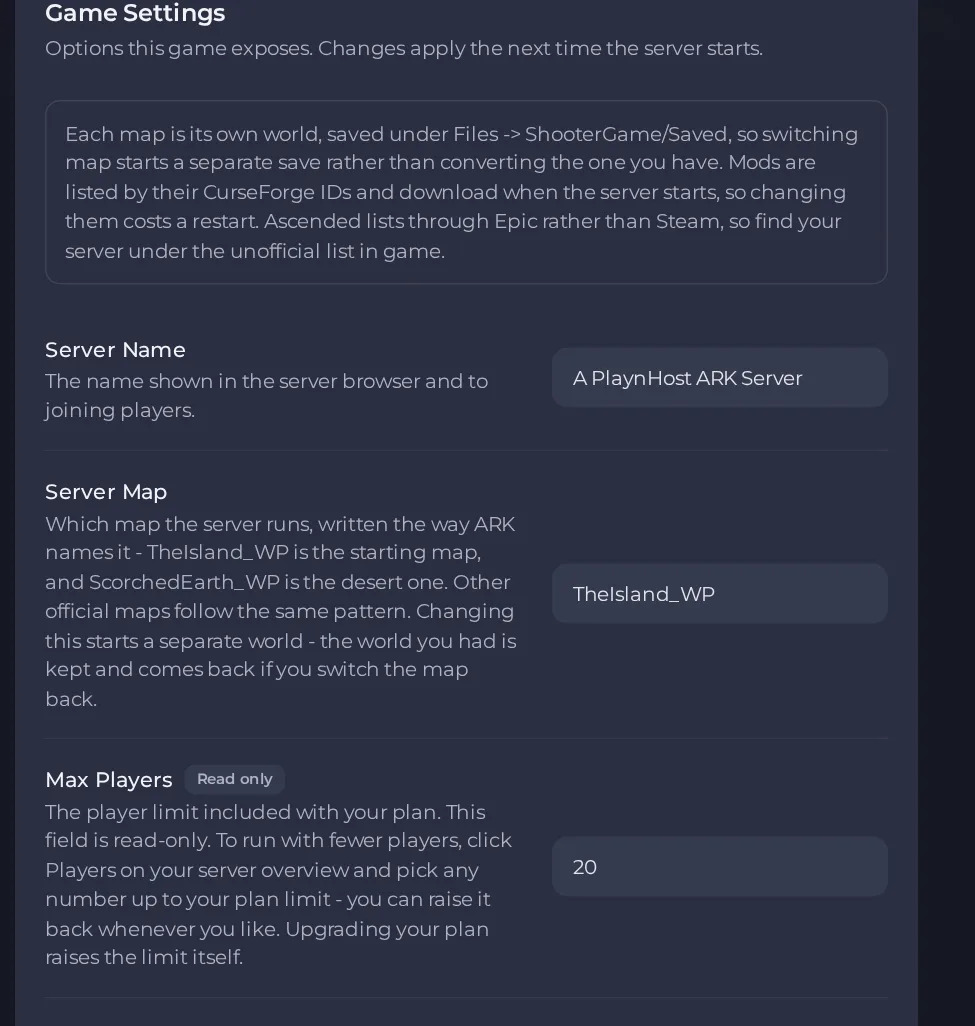
- Change a value and click outside the field, or press Enter. The panel saves it. Switches save as soon as you flip them.
- Restart the server so the change takes effect. See How to start, stop, restart and force-stop your server.
Options most owners change first
- Server Name. The name shown in the server browser; up to 64 characters: letters, numbers, spaces and these symbols: _ - . [ ] ( ) ! + #.
- Server Map. Written the way ARK names it, for example TheIsland_WP (the default) or ScorchedEarth_WP: letters, numbers, underscores and hyphens only, up to 64. Changing it starts a separate world, and your old world comes back if you switch the map back.
- Max Players. Read-only here; to run with fewer players use Players on your server overview, up to your plan limit, and upgrade your plan to raise the limit itself.
- Server Password. Players must enter it to join; leave it empty for a public server. Up to 64 characters: letters, numbers, dashes and underscores only.
- Admin Password. Unlocks admin commands in game and is also used by the panel console to save and shut the world down cleanly, so change it from the default and keep it private. Up to 64 characters: letters, numbers, dashes and underscores only; a symbol will be refused.
- PvE Mode. Off is the standard game where players and tribes can fight and raid; on makes a peaceful world where only wildlife is a threat.
- BattlEye Anti-Cheat. Off by default because it has not been confirmed to work on our platform, and if it fails to start players cannot join; turn it on only if you will test that people can still connect.
- Auto Update. Checks for a game update at each start; turn off only to stay on a specific build for mod compatibility.
- Mod IDs. CurseForge project IDs, digits separated by commas with no spaces; the server downloads and updates them at every start.
- Extra Map Settings. Extra world settings, each starting with a question mark and joined with no spaces, for example ?DifficultyOffset=1?AllowThirdPersonPlayer=True. Letters, numbers and _ - . , = ? only.
- Extra Launch Flags. Extra launch flags separated by spaces, using only letters, numbers and _ - . , = characters. Leave the field empty unless you know the flag you want. Be careful with -ForceRespawnDinos: it destroys all wild creatures every time the server starts, so do not leave it in this field unless you want that on every restart.
These settings are put on the server's launch line, so changes take effect the next time the server starts; restart the server after changing any of them.
Every option is listed in ARK: Survival Ascended server settings: every option explained.





